Prelab
"START_PID," is similar to lab 1’s three floats command to update the PID gains over BLE instead of reprogramming the MCU. Lastly, I set "start_pid_flag" to be true, whose value is polled in the main loop in the Arduino code.
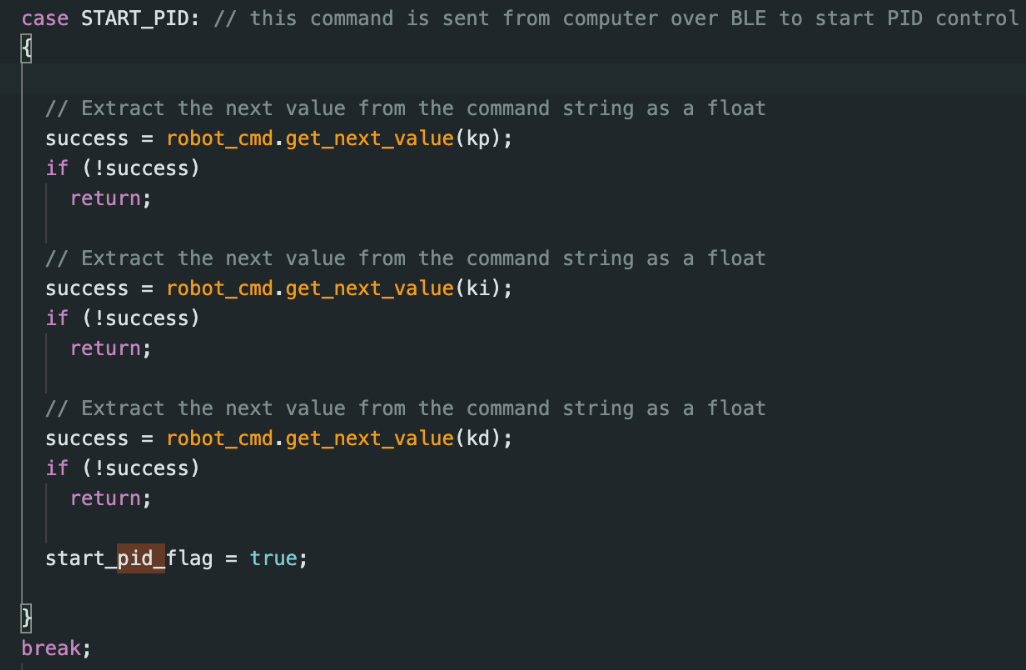
Send command in Jupyter Lab and serial monitor showing gain values received:
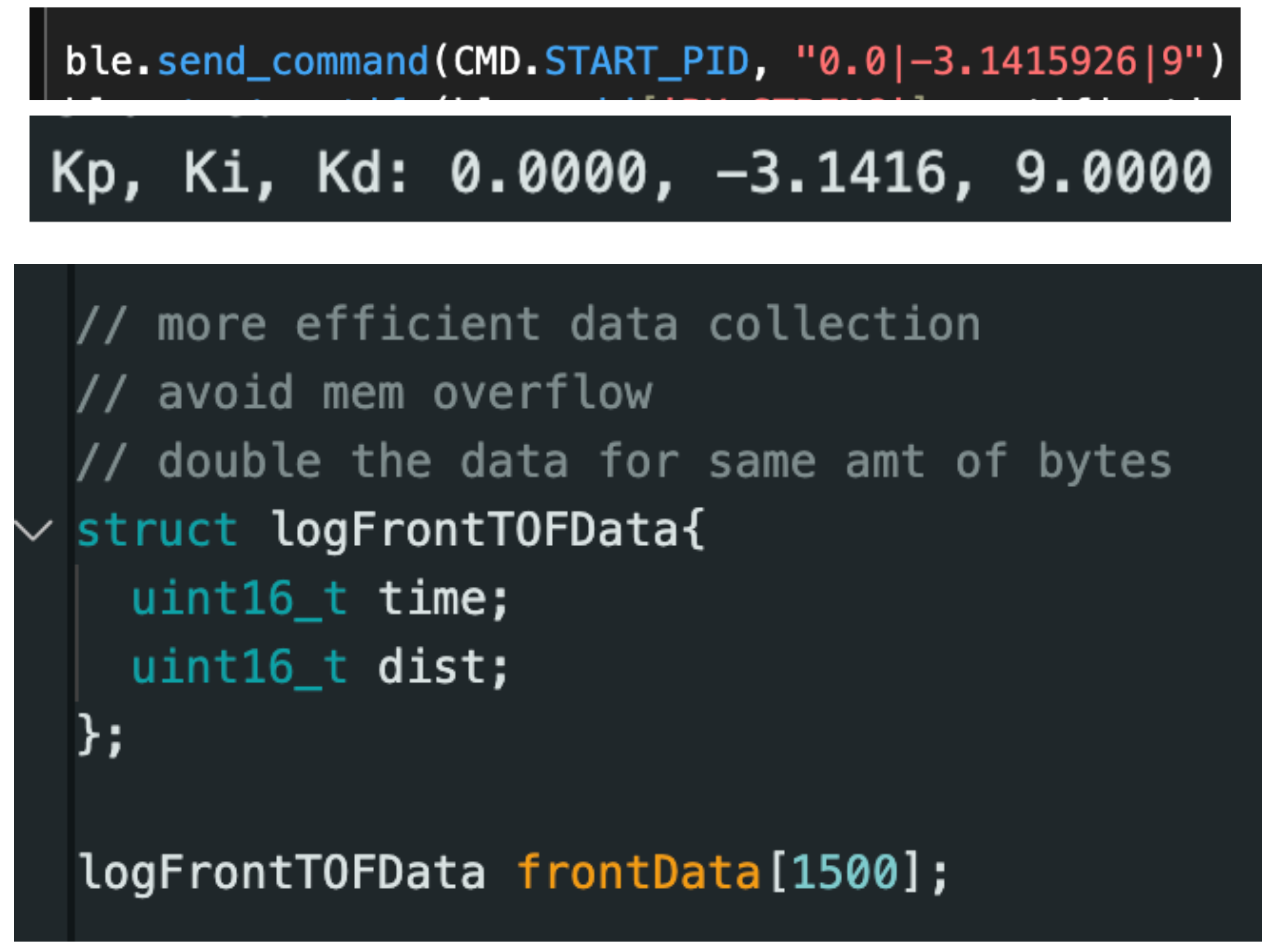
I set the timing budget and intermeasurement period as 20 ms for a sampling time of 20 ms and 50 Hz sampling rate for my TOF sensor. Essentially sacrificing accuracy for more rapid updates to keep up with the dynamics of my robot. I choose long-distance mode (0.73-3.6 m) as we will be starting the robot 2-4 m away from the wall.

I only update the distance data if it is both ready and valid. Otherwise, I keep the last known measurement and try to collect another. To sample faster, I also start and stop ranging once in the beginning and end. I stop both motors in case the BLE disconnects.
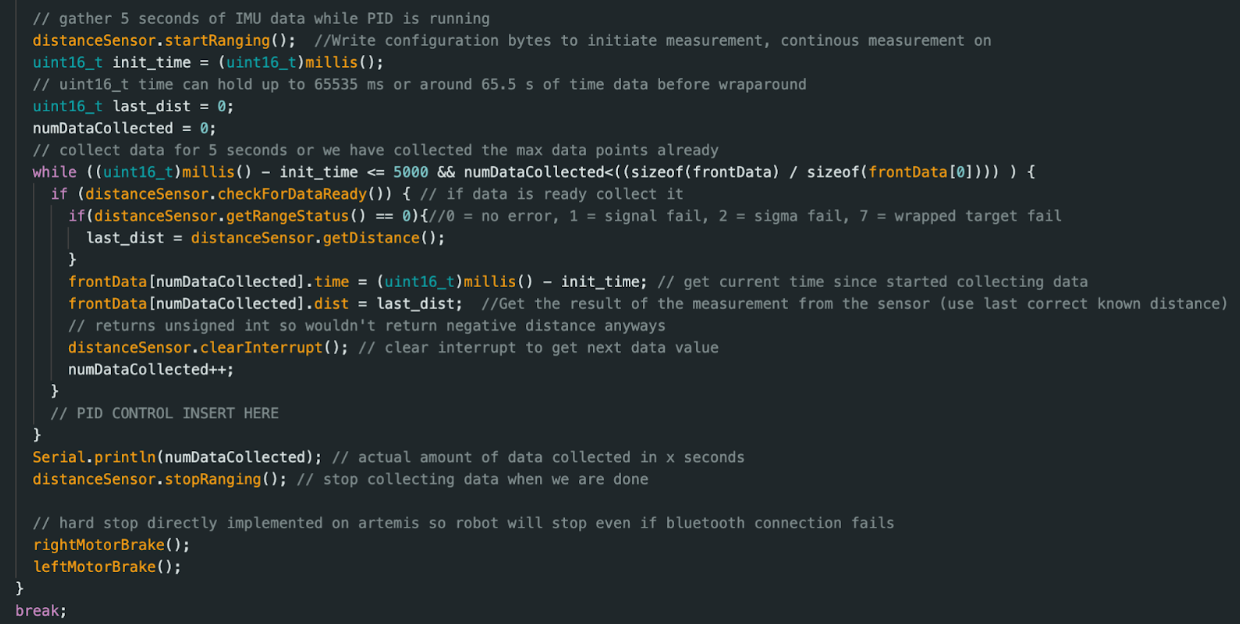
I also do this in the main loop.
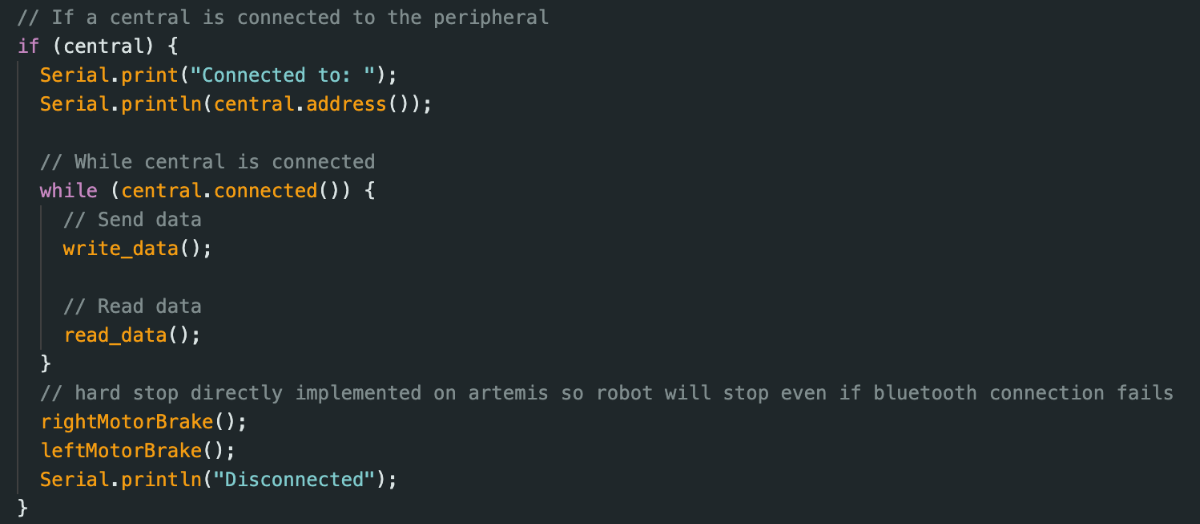
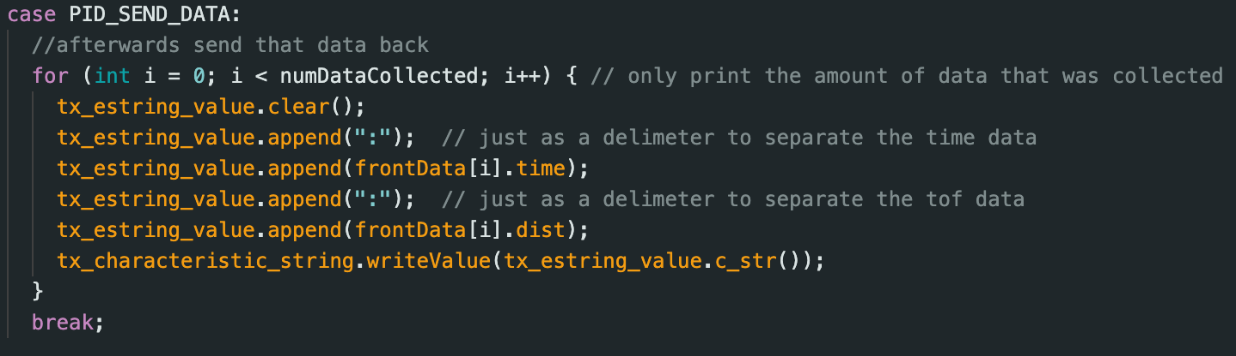
After the PID loop is done executing, I call “PID_SEND_DATA” to send the global struct data to my computer to analyze. I can add more to the struct as I find more things to debug.
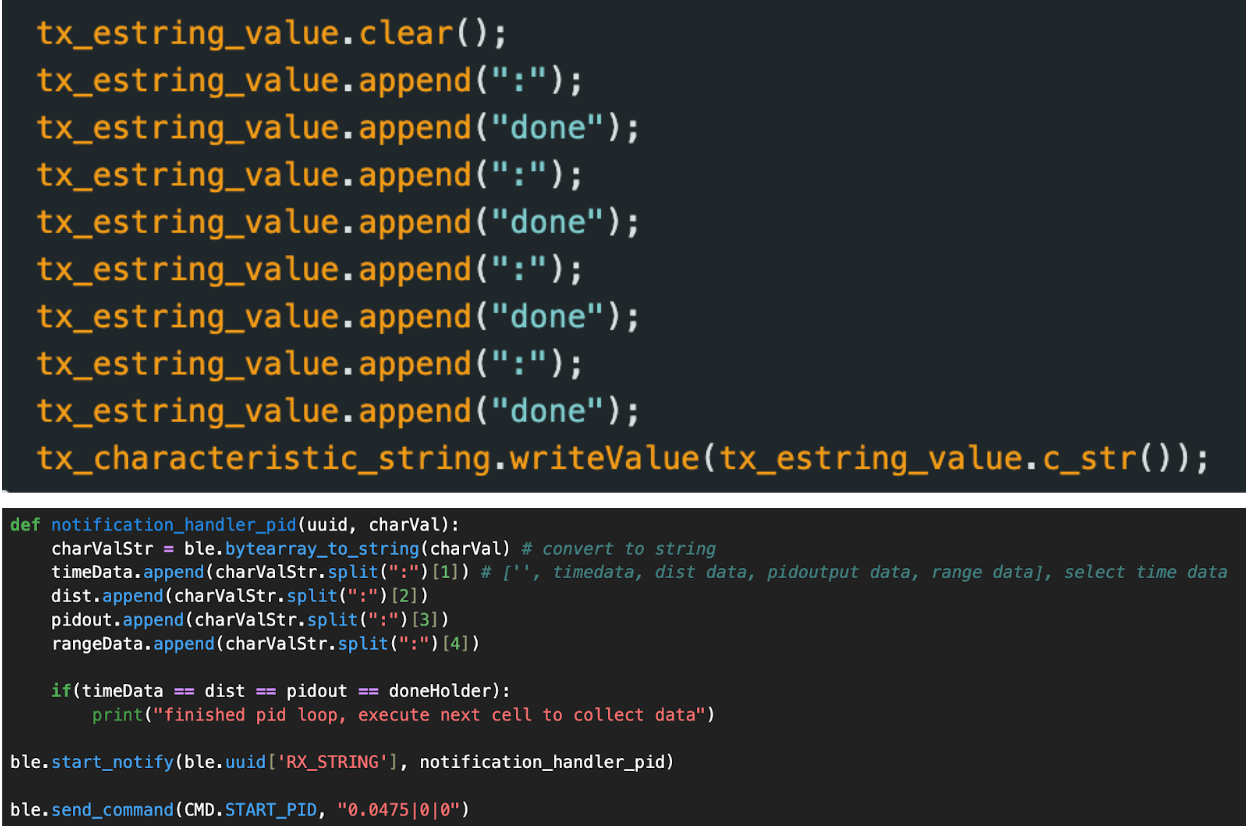
I also send “done” to the notification handler to indicate that the PID loop is done.
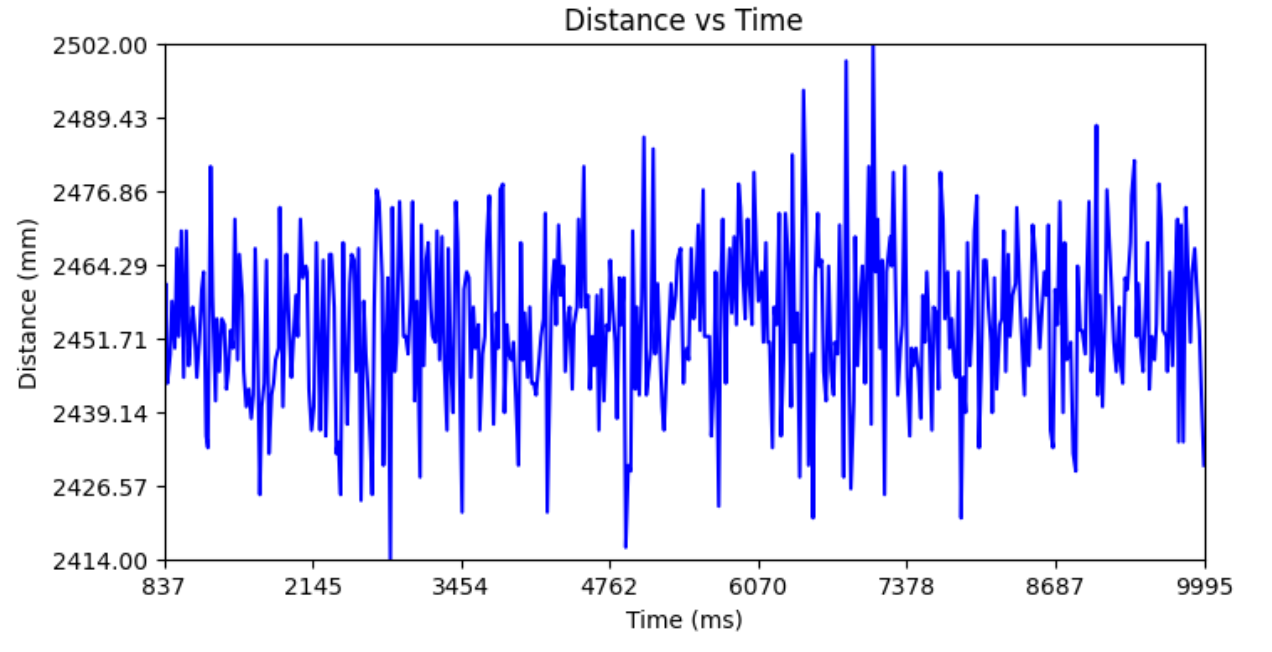
TOF data when it was 255 mm in front of a wall not moving:
Tasks
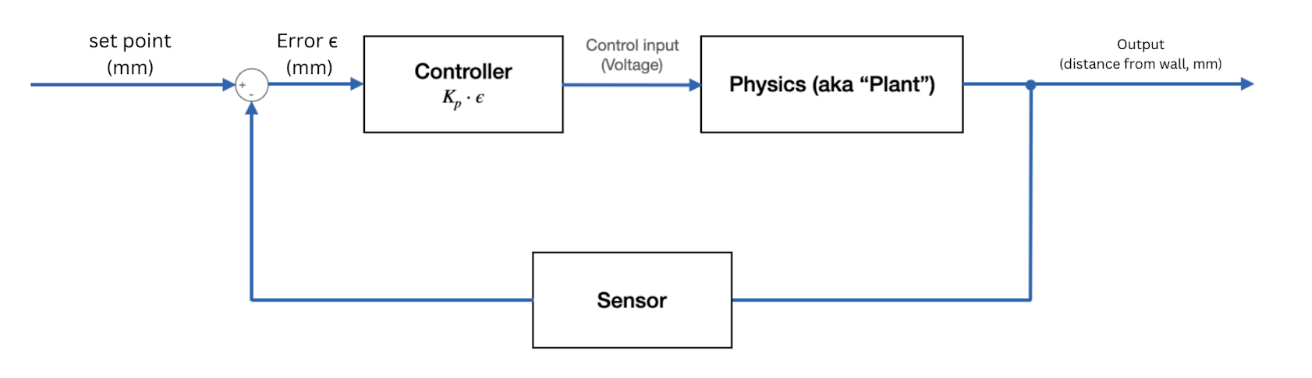
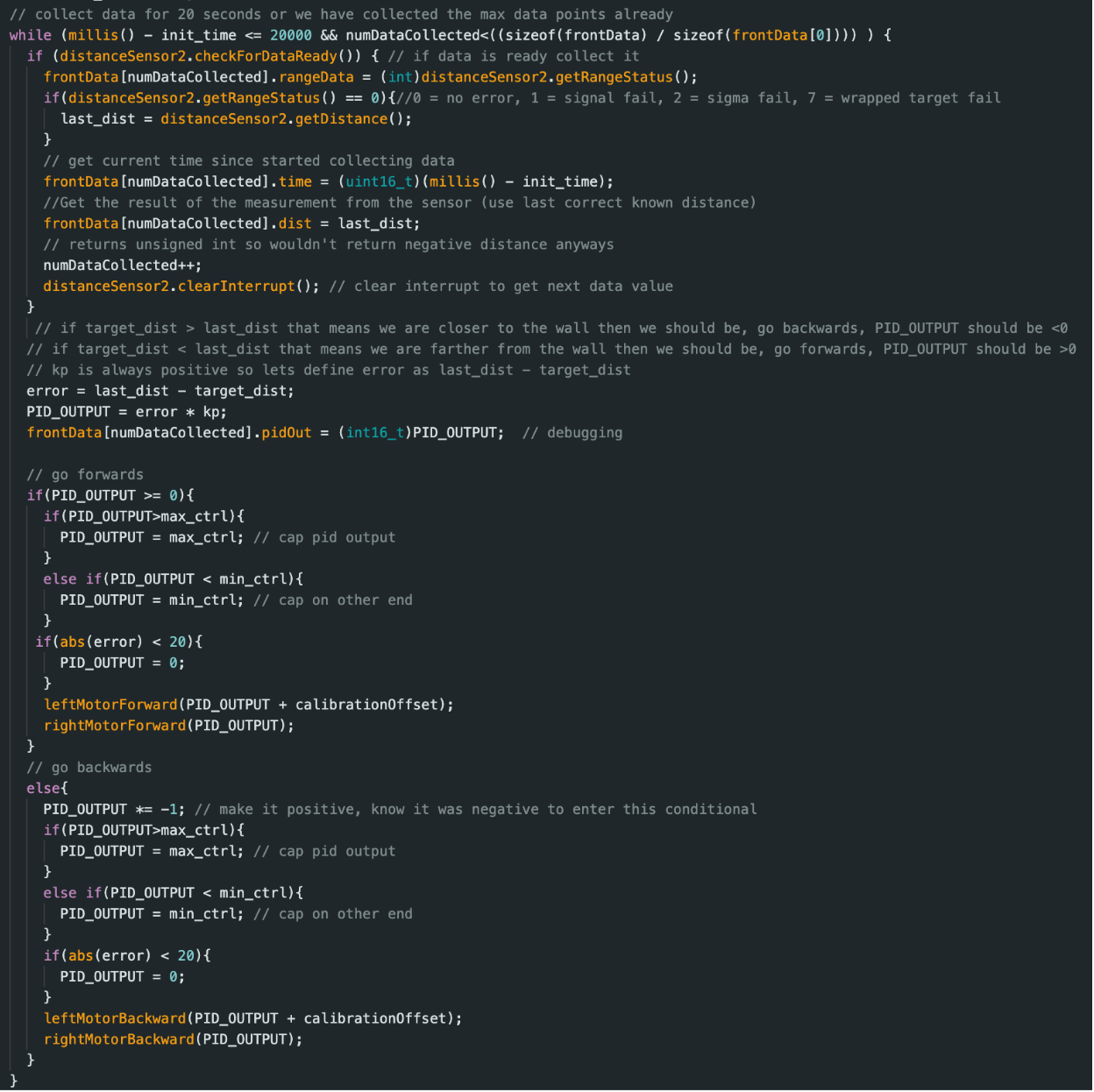
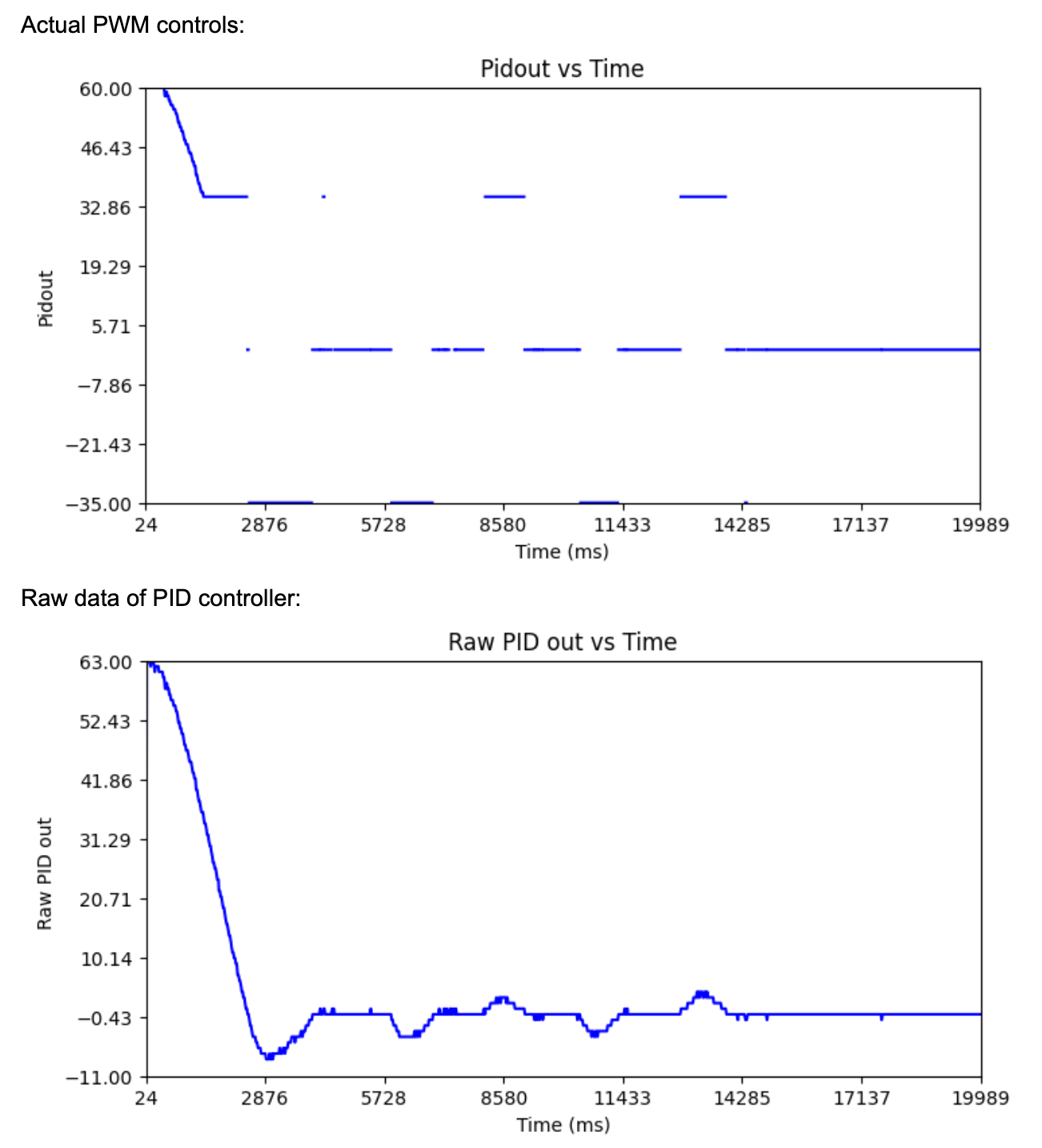
I define error as the measured - set point. Measured is the last known TOF data collection and the set point is 1ft=304mm. We use this error as the input to our PID controller. I do P controller (sufficient enough) so my PID_OUTPUT=kp*error. I then use this output as a raw duty cycle for both motors. From lab 4, 35 is our lower limit (deadband) and I found the upper limit to be 120 (any higher and you don’t get much of a speed difference). I will start with a max PWM of 60. If we want to slow down when we are 1900m away from the wall, then error=1900-304=1604 and 60=kp*1600 so we can have an initial guess of kp at 0.0375.
If the absolute value of the PID_OUTPUT > the max PWM, I cap it at the max PWM, and the same with the minimum PWM. To deal with oscillations you may see with the P term, I don’t move the motors at all if abs(error)<20 (data is noisy). I do this instead of using the derivative term to damp out the oscillations. As an attempt to drive the robot straight, I add a calibration offset of 16 to the left PWM (unlike the scalar in Lab 4 since the PWM is constantly changing). I avoid blocking statements so that the sensor measurements essentially do not affect my loop speed. I also do no BLE communication during the actual PID control to avoid slowing down the loop.
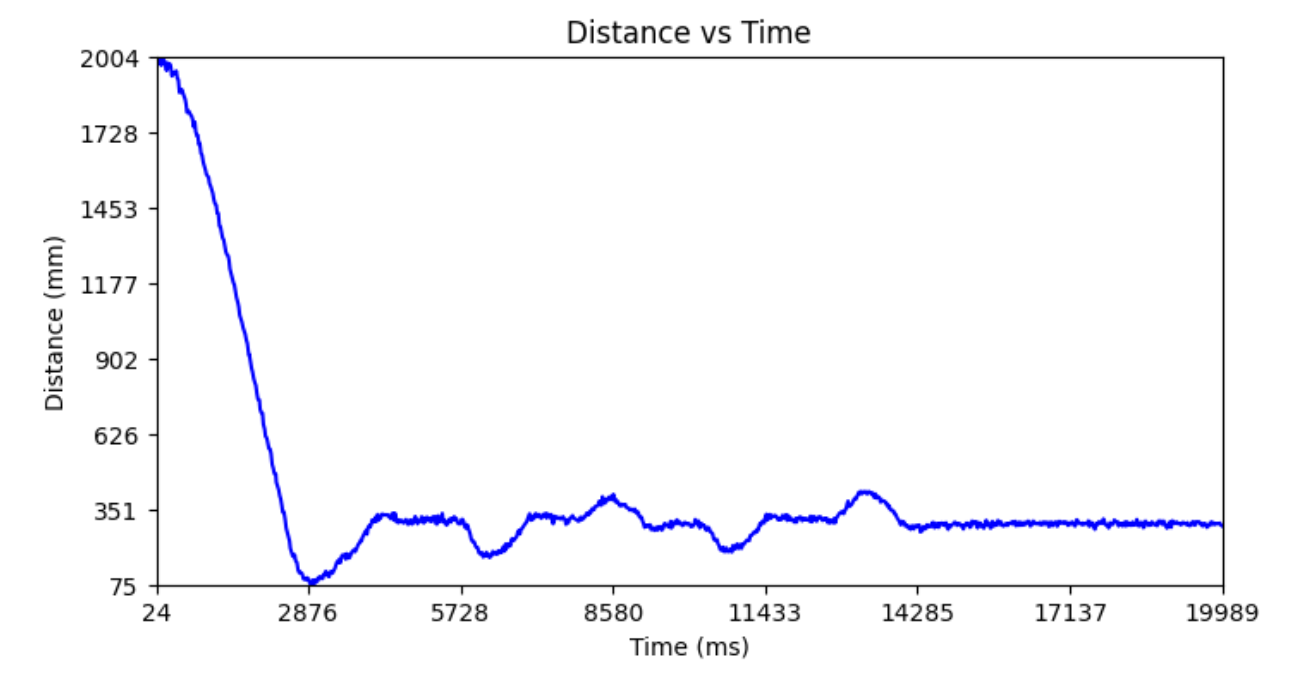
Test 1 - 2m from wall, wooden floor, max PWM=60, Kp=0.0375
I overshoot and then have steady-state error at around 4s. Then the perturbations you see in the graph are me pushing the car towards or away from the wall, and the car returns back to its setpoint.
Looking at the graph below, the max slope is about (200-75)/(2876-24)=0.044 m/s as our max speed. Of course, we could really limit test the speed by increasing the duty cycle, but I did not want to risk colliding into the wall and breaking a wheel.
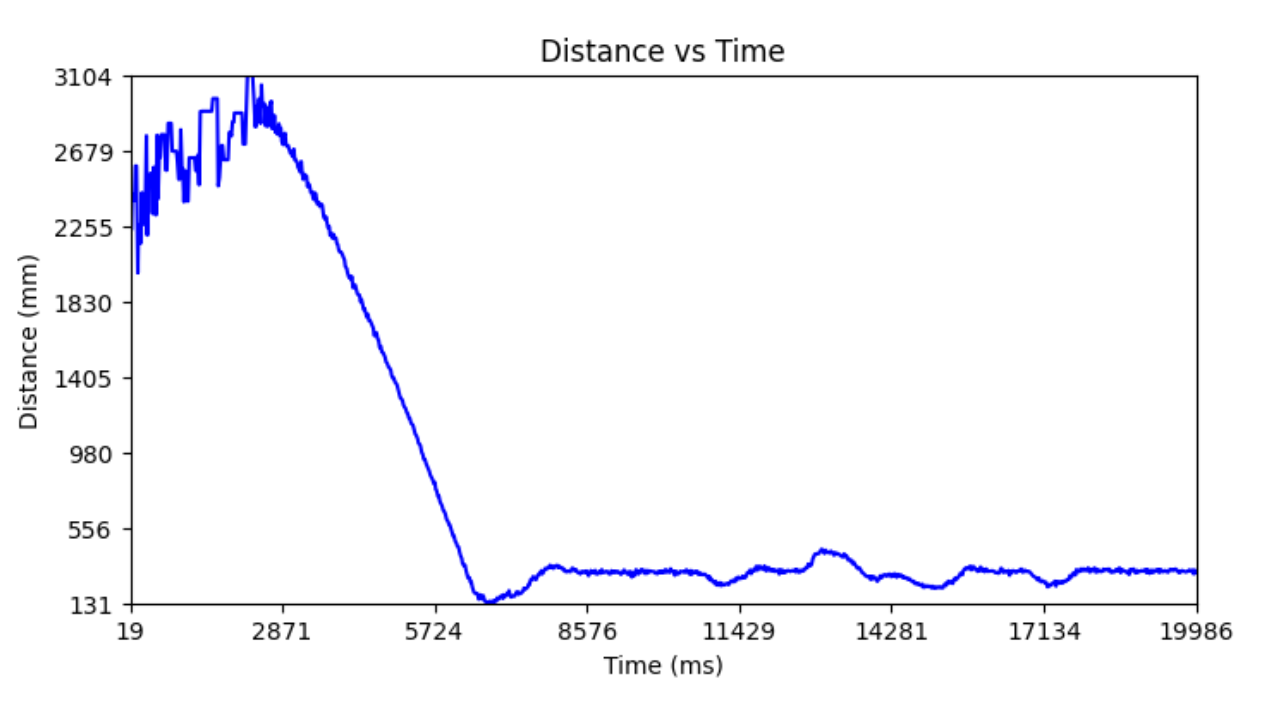
Test 2 - 4m from wall (check with measure tape)
The graph below says it is about 3.1 m, but the max we can see is 3.6 m so it could be confused. I have Kp=0.01 since when it was higher it went too fast and crashed into the wall.
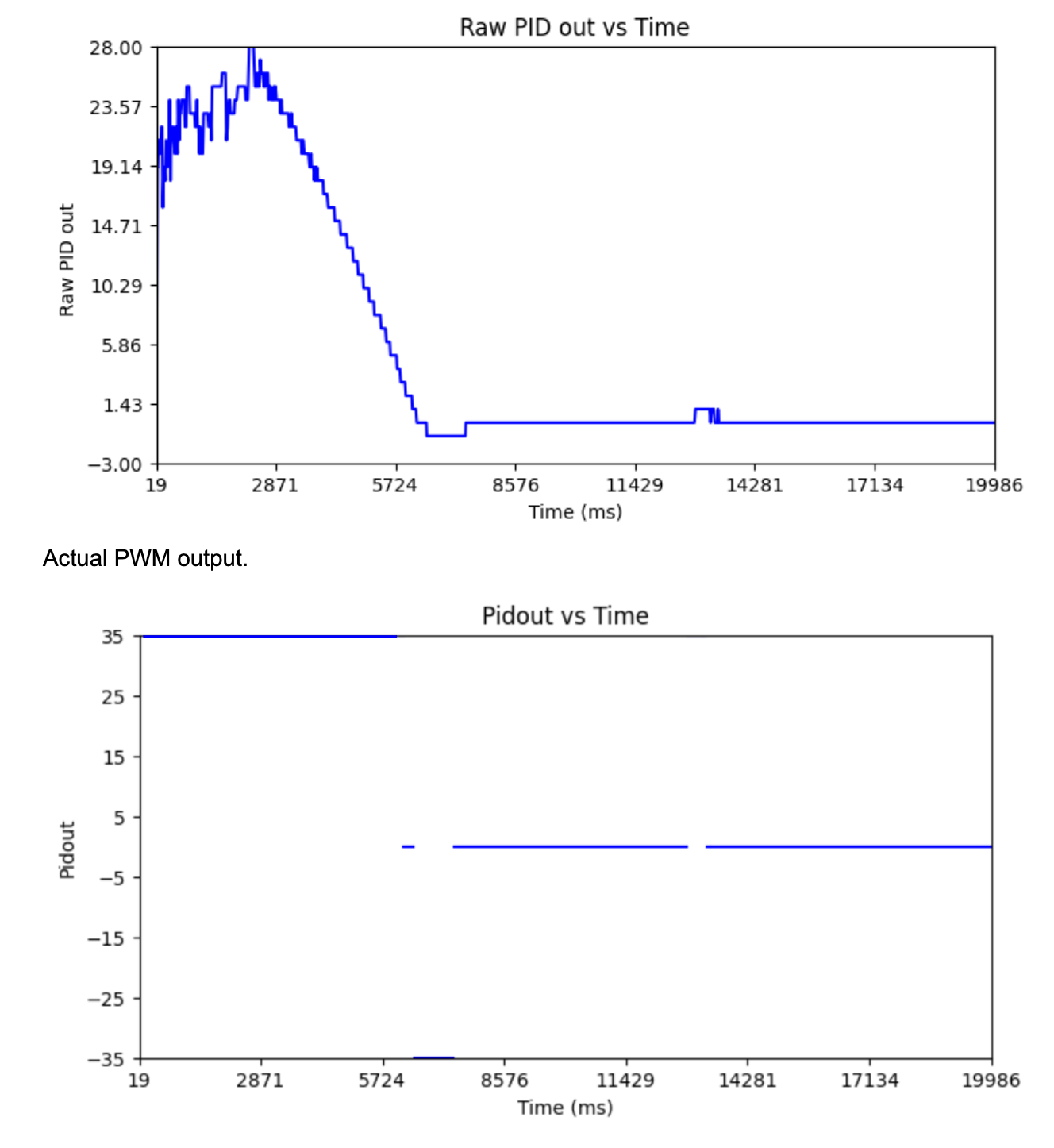
Test 3 - Carpet, Kp=0.0375, 2m away from wall
3 successive trials from ~2m to prove reliability.
Extrapolation
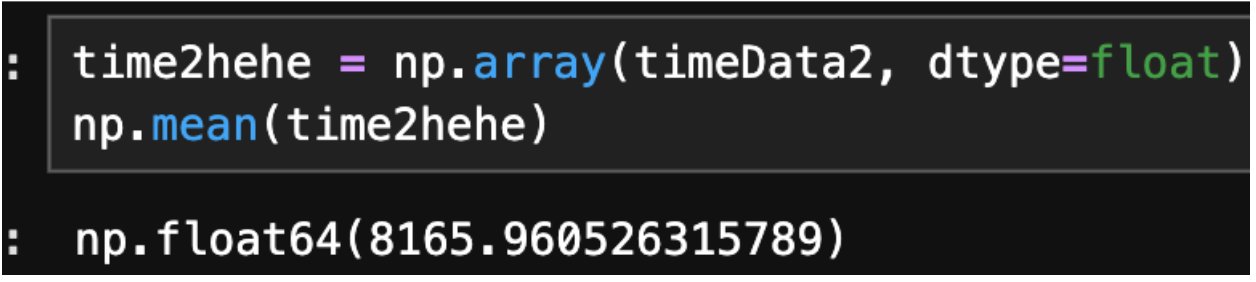
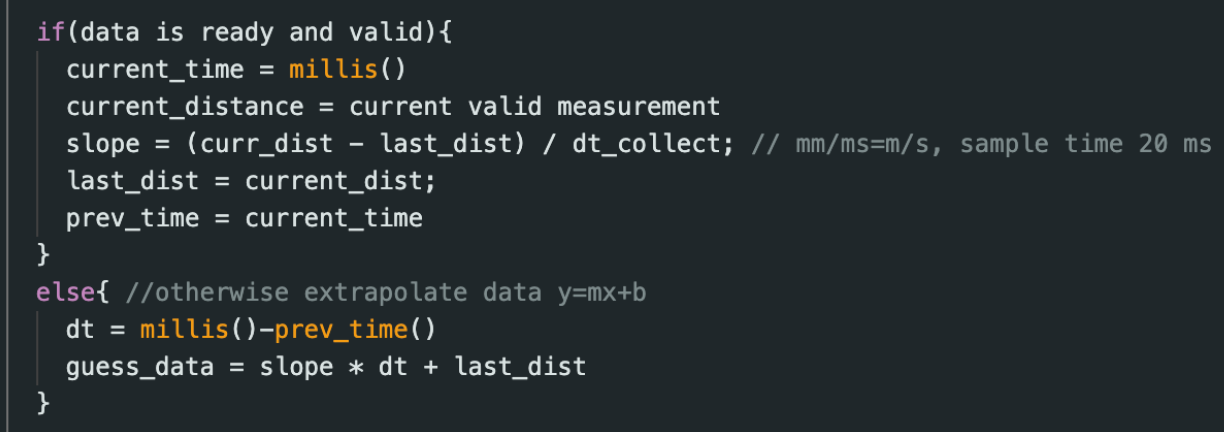
As discussed before the ToF sensor returns new data at 50 Hz. I already calculate PID control every iteration even if ToF data is not ready and base it off the last valid TOF data point. The average time for one loop iteration is 8166 us = 8.166 ms. PID control loop runs 20/8.166=2.45 times faster than ToF data collection.
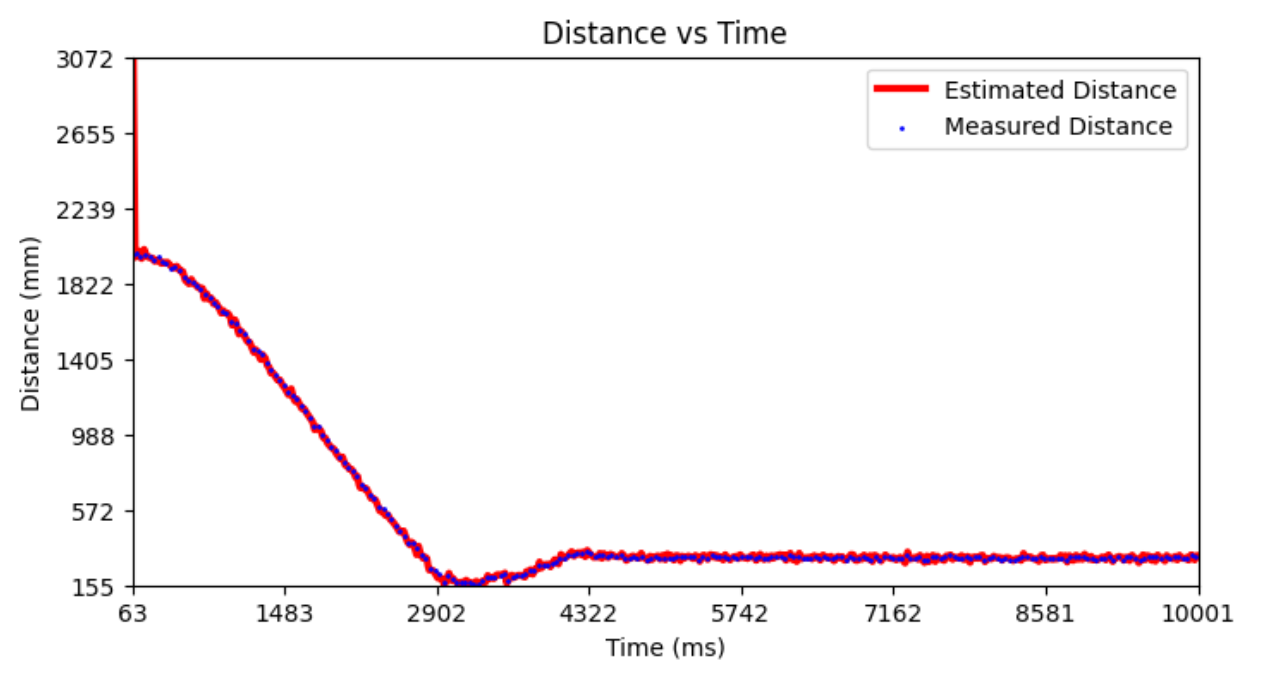
Pseudo code for extrapolation:
Collaborations
Thank you Prof. Helbling for help in lab. I referenced Aidan McNay's, Aidan Derocher's, Stephan Wagner's webpages. This website template was inspired by Hunter and I used his PID loop diagram.